Side-by-Side Comparison
Desktop Digital Clocks


Open the full side-by-side comparisonSee the full criteria table for all top picks when you need the extra detail.Show detailsHide details
Compare Display, Power, and Desk Role First
This page compares physical desktop digital clocks, not computer widgets, screensavers, phone apps, or smart displays. Start with what remains visible, what actually powers the clock, and how much space the body needs; extra fields matter only after those requirements fit the intended desk or shelf.
| Current clock | Night display | Primary power | Backup or outage behavior | Best documented desk role |
|---|---|---|---|---|
| Sharp SPC932 | Five-second push backlight | 3 AAA | Battery is primary power | Cord-free atomic calendar clock |
| Betus silver | No backlight | One coin cell; chemistry conflicts | Battery is primary power | Thin travel or close-range desk clock |
| DreamSky DS2201 | Continuous LED; 0–100% dimmer | AC adapter | 2 AAA retain settings only | Large information display at a fixed desk |
| AMIR | Continuous on Type-C; sleeps on AAA | Type-C or 3 AAA | Batteries can operate clock with sleeping screen | Slim LED display with weekday schedules |
| Zendure | Ambient-sensor LCD backlight | 3 AAA | Battery is primary power | Cord-free calendar and temperature display |
| Worcest | Continuous mirror LED; four states | 5V/1A USB | CR2016 retains alarm settings | Dual-alarm display with charging outputs |
| Westclox 71043 | Continuous red LED; no dimmer | Attached AC cord | 2 AAA retain time/alarm; screen off | Simple persistent time and alarm |
| Kojooin | Screen-off mode; backlight unknown | Unspecified batteries | Battery is primary power | Portable clock plus count-up/countdown timer |
| MMOBIEL | Five-second push backlight | 1 CR2032 | Battery is primary power | Foldable travel clock with timer |
| Betus black | No backlight | 1 CR2025 | Battery is primary power | Foldable daylight travel/desk clock |
The table deliberately keeps unknowns visible. A settings battery is not cordless operation, a screen-off control is not a dimmer, and automatic DST is not atomic synchronization. If one of those distinctions cancels the intended use, it should outweigh a longer feature list.
Alarm and timer labels also need normalization. Sharp, DreamSky, Zendure, and Westclox document one alarm; AMIR documents one alarm with four weekday patterns; Worcest documents two alarms. Kojooin and MMOBIEL add timer functions, while both Betus variants list an alarm and timer with different evidence limits. A weekday pattern is not another alarm time, and a countdown or count-up timer is not a second alarm.
Start with the Display You Need to See
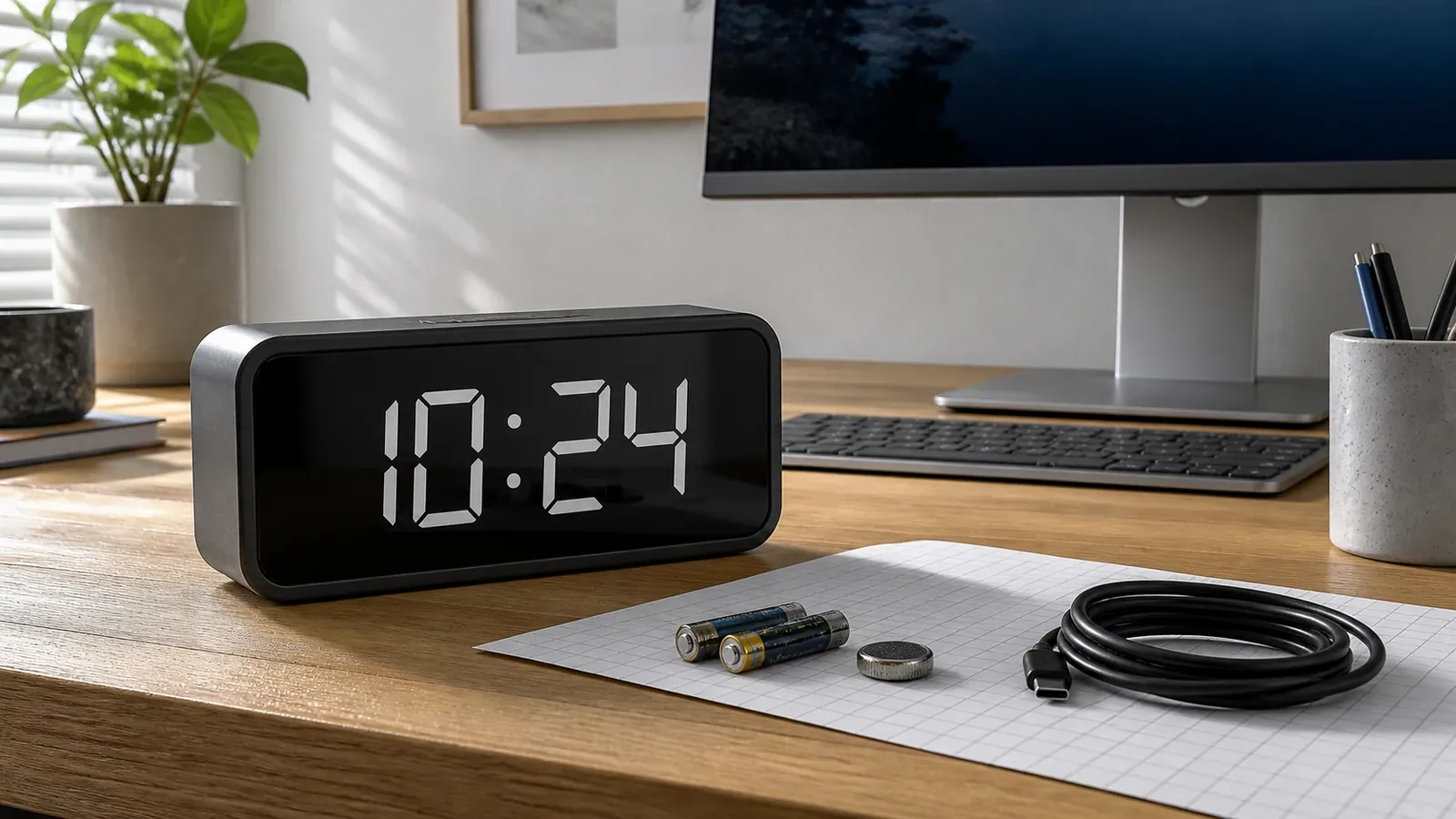
This guide covers physical digital clocks that stand on a desk or shelf—not Windows or macOS widgets, screensavers, or clock apps. The first choice is therefore physical: where will the clock sit, from what angle will it be read, and will a cable reach that point without crossing the work area?
Corded LED models such as DreamSky, AMIR on Type-C, Worcest, and Westclox can keep the time visible. They differ sharply in brightness control. DreamSky has a continuous wheel dimmer down to off; Worcest lists three lit levels and off; AMIR lists four lit levels and off; Westclox documents no display dimmer. A red or mirror face is not automatically easier to read, so avoid choosing by product photography alone.
Passive LCD clocks use less power and work well without an outlet, but their light behavior determines night use. Sharp and MMOBIEL illuminate for about five seconds after a press. Zendure uses an ambient-light sensor. Both Betus variants explicitly lack a backlight. None of those facts supplies a measured viewing distance or viewing angle; place the delivered clock at the real seat or bed before deciding that the display is large enough.
Finally, check information density. Calendar and temperature fields can help at a home-office desk, yet smaller secondary figures may be less useful from across a room. Westclox and Kojooin keep the role narrower. Choose the information you will read, then reject fields that only make the face busier.
Finish and color: black, silver, and mirror faces should be treated as room-fit variables, not readability claims. A mirror surface can pick up a monitor or window; a dark or light housing changes contrast against the desk but does not prove that the digits are easier to see. Check the exact delivered finish from the normal chair in daylight and darkness. This update has no comparative glare, contrast, or viewing-angle measurements for the locked set.
Top 10 Of The Best Desktop Digital Clocks

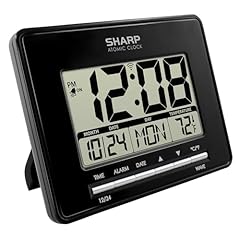
Sharp SPC932 Atomic LCD Desktop Clock with Temperature
Best Fit
Best fit: an outlet-free desk or wall position for atomic correction and calendar data. Sharp SPC932 is a battery LCD clock that receives WWVB and permits manual time setting.
Key Features
- 6.45-inch-wide body with pull-out desk stand.
- Time, date, weekday, and indoor temperature.
- Five-second blue push-button backlight.
- Three AAA batteries run the clock.
Practical Use
The passive screen suits an outlet-free position with normal room light. Its temporary backlight is for a quick night check, not continuous illumination.
Limitations and Final Take
WWVB reception depends on location and interference, and no dimmer is documented. Final take: choose it for cord-free calendar information and atomic correction; skip it when the display must glow all night.
What Are The Pros
- Genuine battery-primary operation with atomic synchronization.
- Desk stand, wall mount, calendar, and temperature display.
What Are The Cons
- Backlight lasts about five seconds rather than staying on.
- Exact depth and measured viewing distance are not published.

Betus Foldable LCD Travel and Desk Clock with Timer
Best Fit
Best fit: travel or a crowded, well-lit desk. This silver Betus folds to a 3 by 3.4 by 0.5-inch case, and its cover protects the LCD in transit before becoming the tabletop stand.
Key Features
- Time, date, weekday, and temperature.
- Alarm, snooze, and countdown timer.
- One replaceable coin cell operates the clock.
- No backlight.
Practical Use
It fits a travel bag or a crowded close-range desk where an outlet is inconvenient. The unlit screen needs ambient light.
Limitations and Final Take
Current sources conflict between CR2025 and CR2032, so check the tray before buying a spare. Final take: a space-saving travel-first desktop clock, but a poor match for dark-room reading.
What Are The Pros
- Thin folding body with an integrated protective cover and stand.
- Calendar, temperature, alarm, and timer in a compact clock.
What Are The Cons
- The exact coin-cell chemistry is unresolved.
- No display backlight or documented brightness control.

DreamSky DS2201 LED Desk Clock with 0–100% Dimmer
Best Fit
Best fit: a fixed desk where continuously visible information and precise dimming matter. DreamSky DS2201 is a 7.1-inch-wide corded LED clock that shows time, date, weekday, and indoor temperature together.
Key Features
- Continuous LED display on adapter power.
- Wheel dimmer from 0 to 100 percent.
- Alarm with nine-minute snooze.
- One USB charging output.
Practical Use
It suits a fixed desk or bedside surface where adjustable, always-visible digits matter more than cordless placement.
Limitations and Final Take
Two AAA cells retain settings only; they do not power the clock or display. Auto DST is not atomic time. Final take: the clearest display-first choice here when an outlet is available.
What Are The Pros
- Fine brightness adjustment includes a complete display-off setting.
- Calendar information and a charging port reduce desk-device clutter.
What Are The Cons
- Requires its AC adapter for normal operation.
- Exact digit height and body depth remain unconfirmed.

AMIR Type-C LED Desktop Clock with Temperature
Best Fit
Best fit: a slim desk display powered normally by Type-C, with AAA fallback. The current AMIR revision is a 6.3-inch LED clock with date, temperature, night mode, and one alarm.
Key Features
- Type-C input; cable included, wall adapter absent.
- Four named lit levels plus display off.
- Four weekday patterns for one alarm.
- Three AAA batteries can run the clock with a sleeping screen.
Practical Use
Use Type-C for a steady desk display. On AAA power, the screen turns off after roughly ten seconds.
Limitations and Final Take
An older exact-ASIN manual covers a USB/voice-control revision, so legacy details are excluded. Final take: a flexible slim clock if you can supply the adapter and accept revision drift.
What Are The Pros
- Works from Type-C or AAA batteries with different display behavior.
- Useful workweek patterns without re-entering the alarm time.
What Are The Cons
- Wall adapter is not included.
- Four schedule patterns do not mean four separate alarms.
![Amazon.com offer for AMIR Digital Alarm Clock, [Upgraded Version] LED Clock for Bedroom, Electronic](https://www.top-clocks.com/wp-content/plugins/content-egg/res/logos/amazon.webp "amazon.com logo")
![Walmart.com offer for AMIR Digital Alarm Clock, [Upgraded Version] LED Clock for Bedroom brand logo](https://www.top-clocks.com/wp-content/themes/rehub-theme/images/logos/walmart.svg "walmart.com logo")
Also featured in: Best Digital Led Wall Clocks, Best Large Display Desk Clocks
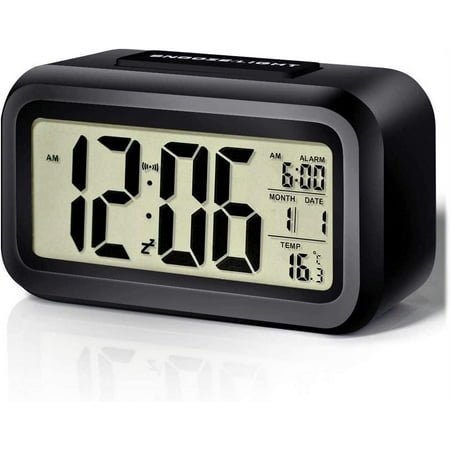
Zendure Battery LCD Desktop Clock with Sensor Backlight
Best Fit
Best fit: a cord-free shelf or desk where automatic low-light illumination is preferable to a cable. This retailer-listed Zendure is a 4.5-inch-class LCD clock showing time, calendar, and indoor temperature.
Key Features
- Three AAA batteries provide primary power.
- Ambient-light sensor activates the backlight in darkness.
- 12/24-hour and Fahrenheit/Celsius selection.
- Alarm with five-minute snooze.
Practical Use
It fits a shelf or desk without a nearby outlet. Sensor lighting is automatic, but it is not the same as an adjustable or continuously lit display.
Limitations and Final Take
No exact manufacturer manual or model number was found, so battery life and light timing remain unknown. Final take: a useful information-rich LCD option with a lower evidence ceiling than the manual-backed clocks.
What Are The Pros
- Battery-primary design needs no cable.
- Calendar, temperature, and dark-room sensor backlight.
What Are The Cons
- No exact manufacturer documentation was located.
- Backlight duration and manual brightness control are undocumented.
Also featured in: Best Small Led Digital Desk Clocks, Best Small Electric Table Clocks, Best Small Digital Electric Desk Clocks, Best Small Digital Desk Clocks, Best Small Alarm Clocks, Best Small Battery Operated Clocks, Best Electric Desk Clocks, Best Battery Operated Desk Clocks, Best Desk Clocks For Women, Best Battery Operated Bedside Alarm Clocks, Best Large Display Desk Clocks
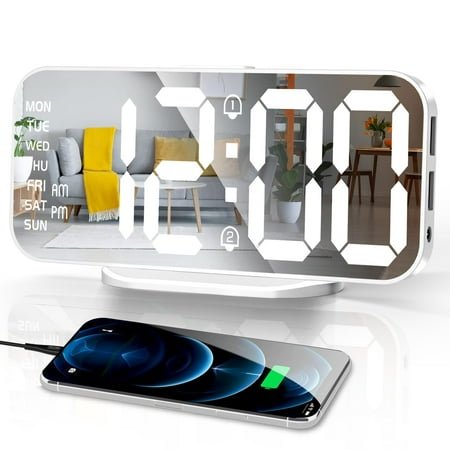
Worcest 6.6-Inch Mirror LED Dual-Alarm Desk Clock
Best Fit
Best fit: a desk needing two alarms and charging outputs. Worcest is a USB-powered mirror-face LED clock with a detachable base and hanging point.
Key Features
- Four display states: bright, medium, dim, and off.
- Scheduled night reduction from 6 p.m. to 6 a.m.
- Two alarms and adjustable 5–60-minute snooze.
- Two USB charging outputs.
Practical Use
It suits an always-visible desk display. Plan for a 5V/1A USB source because the listing names a cable, not a wall adapter.
Limitations and Final Take
The CR2016 preserves alarm settings rather than documented display or alarm operation. Walmart brand metadata drifts. Final take: feature-rich for a powered desk, but verify the delivered identity and adapter needs.
What Are The Pros
- Dual alarms, four display states, and two charging outputs.
- Detachable base supports tabletop use.
What Are The Cons
- Continuous USB power is required for the LED display.
- Brand metadata and exact body dimensions are unresolved.
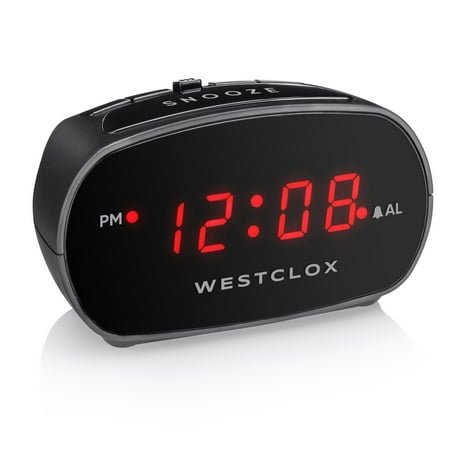
Westclox 71043 Red LED Desk Alarm Clock
Best Fit
Best fit: a permanent outlet-side desk or bedside position that needs simple time and alarm controls. Westclox 71043 is a compact plug-in clock with a persistent red LED display.
Key Features
- Four-digit red LED display.
- One alarm with Hi/Lo alarm volume.
- Nine-minute snooze.
- Two AAA batteries retain time and alarm settings.
Practical Use
It fits a fixed desk or bedside position where a basic always-on time display is enough. Hi/Lo changes alarm volume, not screen brightness.
Limitations and Final Take
The display goes dark during an outage, and reliable body dimensions remain unresolved across reseller records. Final take: choose it for uncomplicated corded time and alarm use, not calendar data or dimming.
What Are The Pros
- Official manual confirms the power and backup behavior.
- Straightforward alarm-volume and snooze controls.
What Are The Cons
- No display dimmer, calendar, or temperature function.
- Backup batteries do not keep the LED face lit.
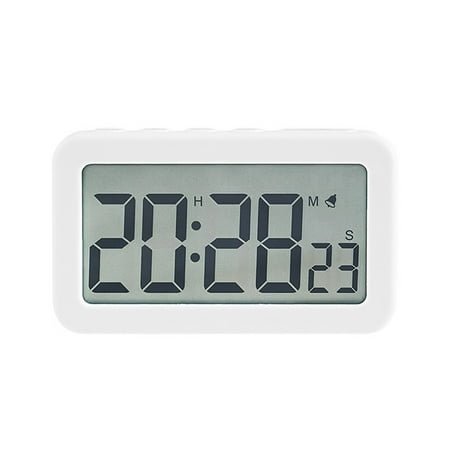
Kojooin Battery LCD Desk Clock with Countdown Timer
Best Fit
Best fit: a small outlet-free desk where a timer matters, if the exact offer returns. The locked Kojooin listing describes a battery LCD clock with 12/24-hour time, alarm, snooze, and count-up/down timing.
Key Features
- Battery-primary cordless operation.
- Count-up plus countdown to 23:59:59.
- Screen-off command leaves other functions running.
- Listed weight of 2.61 ounces.
Practical Use
Its timer suits a small desk where a phone is distracting. Screen-off is neither a dimmer nor evidence of a backlight.
Limitations and Final Take
The locked Walmart item is unavailable and the battery type, dimensions, and light behavior are missing. Final take: the timer is distinctive, but the current offer and specification gaps make this a verify-before-buying choice.
What Are The Pros
- Cordless clock and timer functions share one compact device.
- Screen can be turned off without stopping other functions.
What Are The Cons
- Locked item 5284587001 is currently unavailable.
- Battery specification, dimensions, and backlight are undocumented.
Also featured in: Best Digital Display Desktop Clocks

MMOBIEL Foldable LCD Travel Desk Clock with Backlight
Best Fit
Best fit: travel or a close-range desk that needs a folding clock with an on-demand light. MMOBIEL folds to 3.15 by 3.35 by 0.39 inches and combines calendar, temperature, alarm, and timer functions.
Key Features
- One included CR2032 provides primary power.
- Five-second push-activated backlight.
- Alarm, snooze, and ten selectable sounds.
- Timer up to 24 hours.

Practical Use
The thin folding body suits luggage or a close-range desk. Press-to-light behavior keeps the screen dark until requested.
Limitations and Final Take
No continuous illumination, dimmer, atomic sync, or multiple alarm bank is documented. Final take: the better documented folding choice for travelers who want a temporary backlight and timer.
What Are The Pros
- Very thin folded body with a protective face.
- Calendar, temperature, timer, and on-demand light are documented.
What Are The Cons
- Backlight lasts about five seconds.
- Small format is intended for close viewing rather than across-room use.
Also featured in: Best Small Desk Top Clocks
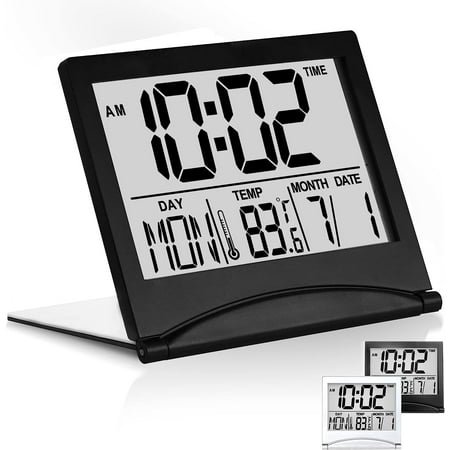
Betus Black Foldable LCD Travel Desk Clock
Best Fit
Best fit: a well-lit travel or desktop position where a thin protected case matters more than night visibility. This black Betus uses the maker's 3 by 3.4 by 0.5-inch folding format, with the cover serving as its stand.
Key Features
- CR2025 battery provides primary power.
- Time, date, and temperature display.
- Alarm and timer modes.
- No backlight.
Practical Use
It works on a small, well-lit desk and packs flat for travel. Set the year correctly so the weekday calculation is useful.
Limitations and Final Take
Battery inclusion, alarm details, timer limit, and temperature accuracy are unresolved. Final take: a compact daylight desk clock; choose MMOBIEL instead when an on-demand light is essential.
What Are The Pros
- Protective folding cover doubles as a stable stand.
- Compact battery-primary format includes calendar and temperature.
What Are The Cons
- No backlight for dark-room reading.
- Battery inclusion and detailed alarm behavior are unconfirmed.
LED, LCD, and Backlight Are Different Decisions
An LED desk clock normally creates its own visible digits while primary power is connected. That makes it suitable for repeated glances, but it also makes nighttime brightness and an accessible dimmer important. DreamSky offers the broadest documented adjustment here. AMIR and Worcest use named levels plus off, while Westclox gives no verified display-brightness control.
An LCD relies mainly on ambient light. A temporary backlight adds short visibility without turning the clock into an always-lit display: Sharp and MMOBIEL specify roughly five seconds. Zendure's sensor backlight responds to darkness, but the retailer does not document timing or manual brightness. Betus has no light at all. Kojooin's three-second button hold turns the screen off while functions continue; that is not evidence of a backlight.
Reflective surfaces introduce another variable. Worcest's mirror face may reflect a lamp or window, but no measured glare or viewing-angle result is available. Treat reflection as something to check in the real room, not as a proven defect. The same rule applies to digit size: a body or marketed display measurement is not automatically the height of the numerals.
Primary Power Is Not the Same as Battery Backup
Sharp, Zendure, Kojooin, MMOBIEL, and both Betus variants use batteries as normal operating power. They can sit away from an outlet, although their display-light behavior differs. AMIR can also operate from AAA cells, but its screen sleeps after about ten seconds; Type-C is the practical choice for continuous visibility.
DreamSky, Worcest, and Westclox need external power for their normal displays. DreamSky's two AAA cells store settings and do not run the clock or screen. Worcest's CR2016 is described as alarm-settings memory, with no promise that the display or alarm operates during an outage. Westclox's manual is explicit: two AAA cells preserve time and alarm settings while the LED display remains off.
USB wording needs one more check. DreamSky has a USB output for charging another device. Worcest lists two charging outputs and a separate 5V/1A input. AMIR uses Type-C as its clock input. A USB port does not mean that a clock contains a rechargeable battery, and a cable in the box does not prove that an AC adapter is included.
Match the Clock to the Desk, Shelf, or Travel Bag
For an office display: DreamSky is the strongest documented fit when large, continuously lit information and fine dimming matter. Worcest adds two alarms and charging outputs, but needs a USB source and carries current brand-metadata uncertainty. Westclox is simpler: persistent time, one alarm, and no verified dimmer or calendar fields.
For an outlet-free shelf: Sharp combines battery operation with date, weekday, temperature, and WWVB correction. Zendure provides similar information with a dark-room sensor instead of atomic synchronization, although its evidence is retailer-only. Neither should be summarized as a continuously lit clock.
For a bedside surface: first decide whether the face must remain visible. DreamSky, AMIR on Type-C, Worcest, and Westclox stay lit under normal primary power. The LCD models either light briefly, light automatically under an incompletely documented sensor rule, or remain unlit. Alarm volume, brightness, and outage behavior must be checked separately.
For travel or a crowded desk: the Betus and MMOBIEL clocks fold thin and protect their screens. MMOBIEL adds a five-second backlight and a documented CR2032; Betus remains darker and has fewer settled battery details. Kojooin's timer is useful on paper, but the locked offer is unavailable and key specifications are missing.
Check the Real Desk Before the Return Window Closes
Product dimensions and feature labels cannot reproduce your light, cable route, viewing angle, or daily routine. Use this short check with the exact delivered model.
Mark the clock position
Measure the available width and depth, then leave space for the stand, rear buttons, battery door, and cable bend.
Test the normal viewing point
Sit where you work or sleep and read the smallest field you expect to use. Repeat from the side if the desk serves more than one seat.
Recreate daytime and nighttime light
Check reflections, the lowest LED setting, sensor behavior, and any temporary backlight. Do not judge the face only in a bright product photograph.
Identify every power role
Confirm what powers normal operation, what merely stores settings, which adapter is supplied, and what the display and alarm do when external power is removed.
Set the functions you will actually use
Enter the alarm, date, temperature unit, DST mode, and dimmer level. Make sure routine controls remain reachable without lifting the clock.
Verify the exact identity
Match model, item ID, manual, battery diagram, and included accessories. Revision or marketplace-title drift is a reason to rely on the delivered instructions.
TOPCLOCKS did not conduct handling, alarm-volume, readability-distance, accuracy, battery-life, or outage tests for this update. The checklist turns those room-dependent questions into checks the buyer can perform without converting unverified assumptions into product claims.
Related Articles


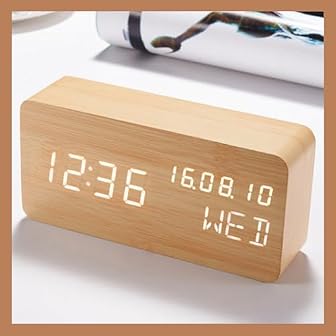
Choose the Clock Whose Display and Power Match the Job
Sharp SPC932 leads the current TOPCLOCKS order and is the most complete battery-primary desk option when WWVB correction, calendar data, and temperature matter. Its LCD and short backlight do not replace an always-on LED display. For continuous information at a fixed desk, DreamSky is the cleaner fit because its 0–100% dimmer and settings-only backup behavior are documented.
AMIR and Worcest offer more flexible powered-desk features, but each needs a specific caution: AMIR has revision drift and no included wall adapter; Worcest has marketplace brand drift and memory-only backup. Westclox is the least complicated corded choice. Zendure is the cord-free sensor-backlight alternative, though it lacks an exact manufacturer manual.
For travel, MMOBIEL has the strongest documented combination of thin folding construction, temporary backlight, calendar, temperature, and timer. Betus is slimmer in the same practical category but has no backlight. Kojooin should remain conditional while its locked offer is unavailable. The right choice is the clock that survives the display, power, placement, and evidence checks—not the one with the longest title.
Desktop Digital Clock FAQ
These answers cover physical desk clocks. Software widgets, screensavers, and clock apps are separate tools with different privacy, power, and platform questions.
What is the best type of digital clock for a desk?
Choose by viewing and power needs. A corded LED suits repeated glances and continuous visibility; a battery LCD avoids cables; a folding LCD saves space for travel. Then compare dimming, backlight, information fields, and controls.
Does every desktop digital clock include an alarm, and are digital clocks silent?
No on both counts. The category describes the display and placement, not a guaranteed alarm or silent-operation standard. Every clock in this current ten-item set documents at least one alarm, but that does not apply to every desktop digital clock. A digital face also does not establish that the case, buttons, power circuit, or alarm is inaudible. Westclox documents Hi/Lo alarm volume; MMOBIEL lists ten selectable alarm sounds. For the other models, do not assume silent keys, no ticking, or adjustable volume unless the exact manual says so. If sound matters, set the alarm, press the routine controls, and listen beside the delivered clock within the return window.
Is an LED or LCD desktop clock easier to read, and will an LCD backlight stay on?
Neither display type is universally easier. LED digits create their own light but need brightness control. LCD uses ambient light; night reading depends on the exact light system. Sharp and MMOBIEL light for about five seconds, Zendure uses a sensor with undocumented timing, and Betus has no backlight. Do not assume an LCD stays lit continuously.
Does battery backup make a USB digital clock cordless or keep it running in an outage?
No. DreamSky, Worcest, and Westclox use backup cells mainly to retain settings or time while their normal displays require external power. AMIR can run from AAA cells, but its screen sleeps. Treat a clock as cordless during an outage only when its instructions document battery-primary or operating fallback power.
Are 12/24-hour mode, time-zone settings, automatic DST, and atomic time the same?
No. A 12/24-hour option changes only how the hour is displayed; it does not change the time zone or add multi-zone support. DreamSky's auto DST and AMIR's DST mode address seasonal changes but do not establish a radio, internet, GPS, or network time source. Sharp SPC932 receives WWVB. NIST explains that WWVB broadcasts UTC and a radio-controlled clock applies the zone correction selected by its owner. If such a clock is off by whole hours, recheck the zone and disable DST where it is not observed. Some clocks support only Pacific, Mountain, Central, and Eastern time, so confirm the delivered manual. This WWVB guidance applies to Sharp here, not to every non-atomic model.
Why might an atomic desk clock miss the WWVB signal near a computer?
Computers and monitors can create radio interference. NIST advises moving a radio-controlled clock 1–2 meters away from a computer monitor; rotating or relocating it can also help. Reception still depends on the building and location. This applies to Sharp SPC932 here, not to clocks that merely offer automatic DST.
How large should a desktop clock display be?
Use the smallest information field and real viewing position as the test. Product width, display class, and digit height are different measurements. No honest universal distance threshold can be assigned without exact dimensions and room conditions.
Will a mirror-face digital clock be readable beside a monitor?
Not automatically. A mirror finish can reflect a monitor, window, or task lamp, and no measured anti-glare result is available for Worcest. View the delivered clock from the normal chair in daytime and darkness. If reflections cover the digits, reposition it or choose a less reflective face.
Can a travel clock or wall-and-desk hybrid stay on a desk permanently?
Yes, if close-range visibility, light behavior, and stand stability fit. MMOBIEL and Betus stand through folding covers but remain small; Betus has no backlight. Sharp uses a pull-out stand, while Worcest has a detachable base. Keep controls, battery door, and cable accessible, and test the delivered hardware rather than trusting a dual-mount label alone.
Should a physical desktop clock replace a phone or computer clock widget?
Choose a physical clock when you want the time available without waking a phone, opening an app, or keeping a computer screen active. Check the clock's own display behavior first: some battery LCDs remain unlit, and AMIR's LED sleeps on AAA power. A widget remains more flexible when alarms, synchronization, or screen customization matter more than a separate always-present object.
Do temperature and calendar fields make a clock better for an office?
They help only when they remain readable and useful. Sharp, DreamSky, AMIR, Zendure, MMOBIEL, and Betus document some calendar or temperature information. Worcest, Westclox, and Kojooin should not be given those fields without evidence.
Are TOPCLOCKS ratings customer-review averages?
No. They are TOPCLOCKS' proprietary subjective expert ratings for this category. The scores and protected order remain part of the site editorial system; the mini-reviews explain documented fit, trade-offs, and evidence limits.