

Which Wireless Charging Alarm Clock Should You Pick?
Check the wireless charger and the alarm separately. Confirm that your exact phone supports the stated charging standard, then check the clock’s charging pad, required adapter, and case restrictions.
A USB charging port and Bluetooth audio do not establish wireless phone charging. Look for an explicit charging pad in the exact model’s documentation. If your usual case or accessories make pad placement awkward, a clock with a suitable wired charging output may fit your routine better.
Side-by-Side Comparison
Alarm Clocks with Wireless Charging

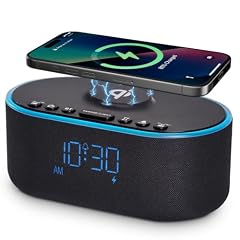
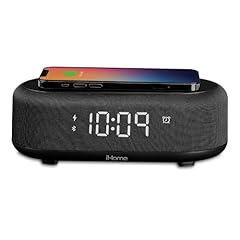

Compare the first four picksThis table covers the first four of eight picks. All eight full reviews appear below.Show detailsHide details
Wireless phone charging
1. Amazon Echo Spot Smart Alarm Clock
Unknown
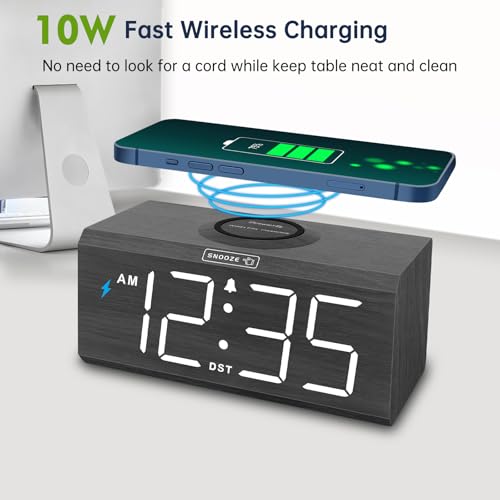
2. Odokee Wireless Charging Alarm Clock
Exact listing documentation: yes
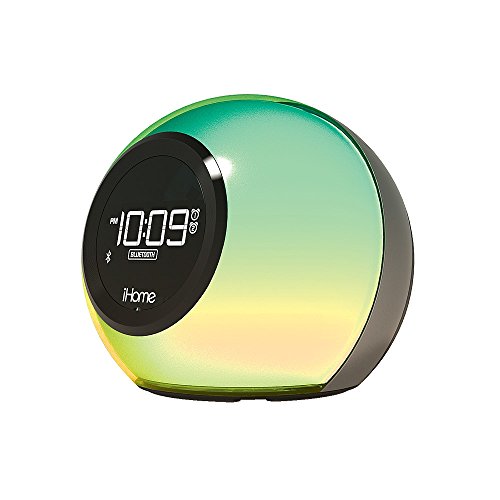
3. iHome Bluetooth Alarm Clock with Charger
Unknown — Model documentation; exact device not confirmed
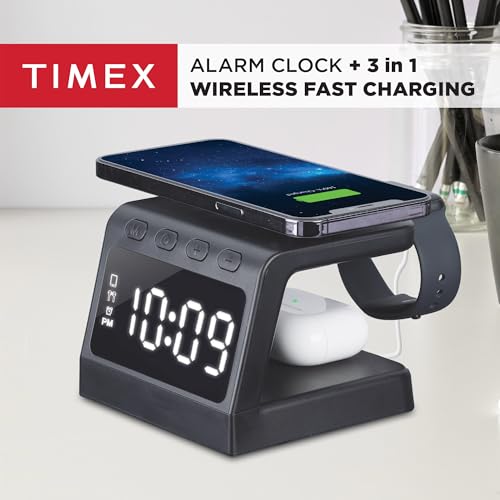
4. Timex Wireless Charging Alarm Clock
Seller statement: yes
Wireless charging output (W)
1. Amazon Echo Spot Smart Alarm Clock
Unknown
2. Odokee Wireless Charging Alarm Clock
Conflicting evidence
3. iHome Bluetooth Alarm Clock with Charger
Unknown
4. Timex Wireless Charging Alarm Clock
Seller statement: 15
Normal power supply
1. Amazon Echo Spot Smart Alarm Clock
Exact listing documentation: 15 W included clock power adapter; not phone output
2. Odokee Wireless Charging Alarm Clock
Unknown
3. iHome Bluetooth Alarm Clock with Charger
Unknown
4. Timex Wireless Charging Alarm Clock
Seller statement: 20 W PD included power adapter
Backup memory
1. Amazon Echo Spot Smart Alarm Clock
Unknown
2. Odokee Wireless Charging Alarm Clock
Unknown — Model documentation; exact device not confirmed
3. iHome Bluetooth Alarm Clock with Charger
Unknown — Model documentation; exact device not confirmed
4. Timex Wireless Charging Alarm Clock
Seller statement: yes
Display without AC power
1. Amazon Echo Spot Smart Alarm Clock
Unknown
2. Odokee Wireless Charging Alarm Clock
Unknown
3. iHome Bluetooth Alarm Clock with Charger
Unknown
4. Timex Wireless Charging Alarm Clock
Unknown
Alarm without AC power
1. Amazon Echo Spot Smart Alarm Clock
Unknown
2. Odokee Wireless Charging Alarm Clock
Unknown
3. iHome Bluetooth Alarm Clock with Charger
Unknown
4. Timex Wireless Charging Alarm Clock
Unknown
Wake to Bluetooth
1. Amazon Echo Spot Smart Alarm Clock
Unknown
2. Odokee Wireless Charging Alarm Clock
Unknown
3. iHome Bluetooth Alarm Clock with Charger
Unknown — Model documentation; exact device not confirmed
4. Timex Wireless Charging Alarm Clock
Unknown
Display dimmer
1. Amazon Echo Spot Smart Alarm Clock
Unknown
2. Odokee Wireless Charging Alarm Clock
Unknown — Model documentation; exact device not confirmed
3. iHome Bluetooth Alarm Clock with Charger
Unknown — Model documentation; exact device not confirmed
4. Timex Wireless Charging Alarm Clock
Seller statement: yes
Current price
1. Amazon Echo Spot Smart Alarm Clock
Check latest price
2. Odokee Wireless Charging Alarm Clock
Check latest price
3. iHome Bluetooth Alarm Clock with Charger
Check latest price
4. Timex Wireless Charging Alarm Clock
Check latest price
Availability
1. Amazon Echo Spot Smart Alarm Clock
Availability not verified
2. Odokee Wireless Charging Alarm Clock
Availability not verified
3. iHome Bluetooth Alarm Clock with Charger
Availability not verified
4. Timex Wireless Charging Alarm Clock
Availability not verified
Wireless Charging Checks Before Buying
Check the phone charger and the bedside alarm as separate functions. A USB socket or Bluetooth audio does not establish a wireless charging pad. Read the exact model’s documentation for the checks below.
| Check | Why it matters | What to check before buying |
|---|---|---|
| Qi / Qi2 certification | A compatibility claim is different from verified certification. | Match the exact brand and model in the WPC certified-product database. |
| Phone placement | A phone must stay in the position the charger requires. | Pad or stand layout, phone fit, and manufacturer placement instructions. |
| Phone case | The case or attached accessories may interfere with charging. | Case restrictions for the exact phone and charger; follow the manufacturer’s advice. |
| Power adapter | Advertised maximum wattage is not a speed promise for every phone. | Phone charging profile, recommended adapter, included adapter, and required cable. |
| Alarm and power | Charging support does not establish alarm usability or outage behavior. | Lowest brightness, alarm-off and snooze controls, and which functions battery backup supports. |


















 eBay
eBay